Two new big blank subsector maps has been added to the site. One with dark blue background, and one printable version. Both was made using QuickHex.


Anything about maps. From Sectormaps to Worldmaps. RockHead Area!
HexGIMP is a GIMP tool by Isomage that will help You make pretty maps.
I have used it to replace the abstact map in my Trading on PYLKAH adventure. This map might be more fun for the players, since they now have the option of taking alternative routes (which their guides will not recommend).

I thought I should try a variation on the big hex style. This time for an important star system in the Spinward Marches.
All planets (except Cipango) was made with GIMP plug-ins. The Cipango ring system was made with the planet rings GIMP plug-in. The planet Cipango was made from an old texture that I have used for other maps of Cipango.
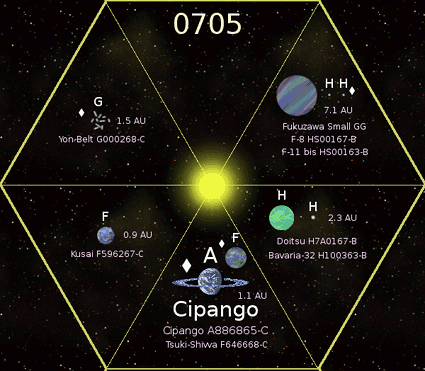
The distances for the planets from their “sun” Cipango-Taiyoo is calculated using a modified Titius-Bode law. Using the formula below for the Cipango system:
For our solar system the formula is:
Where a is the distance in AU, and m is the orbit number. (Where m is 1 for Earth.) The modification of the Titius-Bode law was needed to fit two planet orbits into the habitable zone. This gives the Cipango system a total of 3 garden worlds.
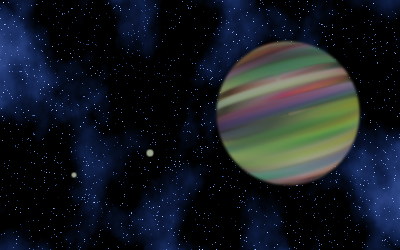
With the suggestion for a new hex style, I need a way to produce images of gas giants. I can do this (for free) with the gas giant plugin for GIMP. 🙂
Travelling between different places in a solar system takes time. Sometimes it will even be faster to make a micro (in-system) jump than using the M-drive.
When jumping to a system, it might be important to know where to get free fuel. If you have a cargo or passengers for the main planet, then it might not be economical to go to a gas giant (to get free fuel) in the outer system as well. Even if the main planet has oceans, you might not be allowed to refuel in these. If you don’t have any cargo or passengers or any other business to the main planet, then you might want to jump directly to the gas giant instead. There you can refuel and jump to the next destination.
How can you plot all the relevant information for a system in a hex on the subsector map? My idea is to divide the hex in six triangles, and show the most important planets with the important moons in each triangle. If there aren’t enough important planets, just leave some triangles empty. But as a minimum 2-3 triangles should have planets. I have put the gas giants in the right part of the hex, just like where the gas giant icon is usually placed.
This is my example for the Terra system. What do you think?

There was some very sad news about JR Mapes, (a contributor to the Zhodani Base). 😥
At his traveller blog You can find his cleaned up Spinward Marches data and some other goodies.
His posts at the Zhodani Base:
For his big contribution to the traveller community, the planet at position 1234 in Foreven Sector is now called Mapes. I selected this planet since it is a peaceful place. When we visit it, we will think of him. New version of Harem Subsector below.